Step 2 - Configuring the Fortigate Firewall
Create a Address Group
Login to the Fortigate Firewall using the web browser. (Example http://Floating IP address)
Click on "Addresses"
Click on "Create New"
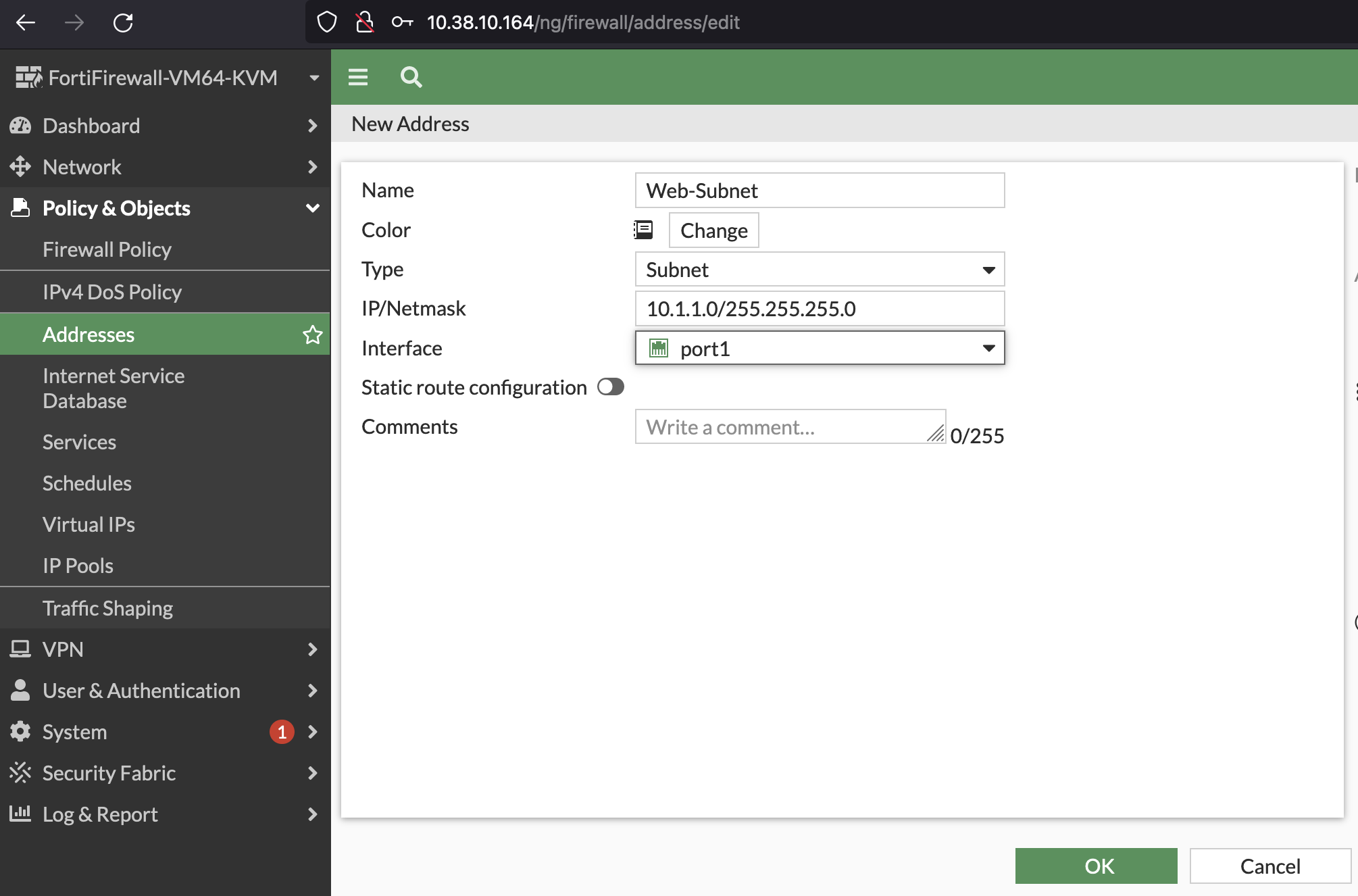
Configure the following settings for the Web and App Address Group

Create a ANY-ANY Rule with monitoring turn on
Login to the Fortigate Firewall using the web browser. (Example http://Floating IP address)
Click on "Policy" and Click on "Firewall Policies"
Click on "Create New"
Configure the following settings
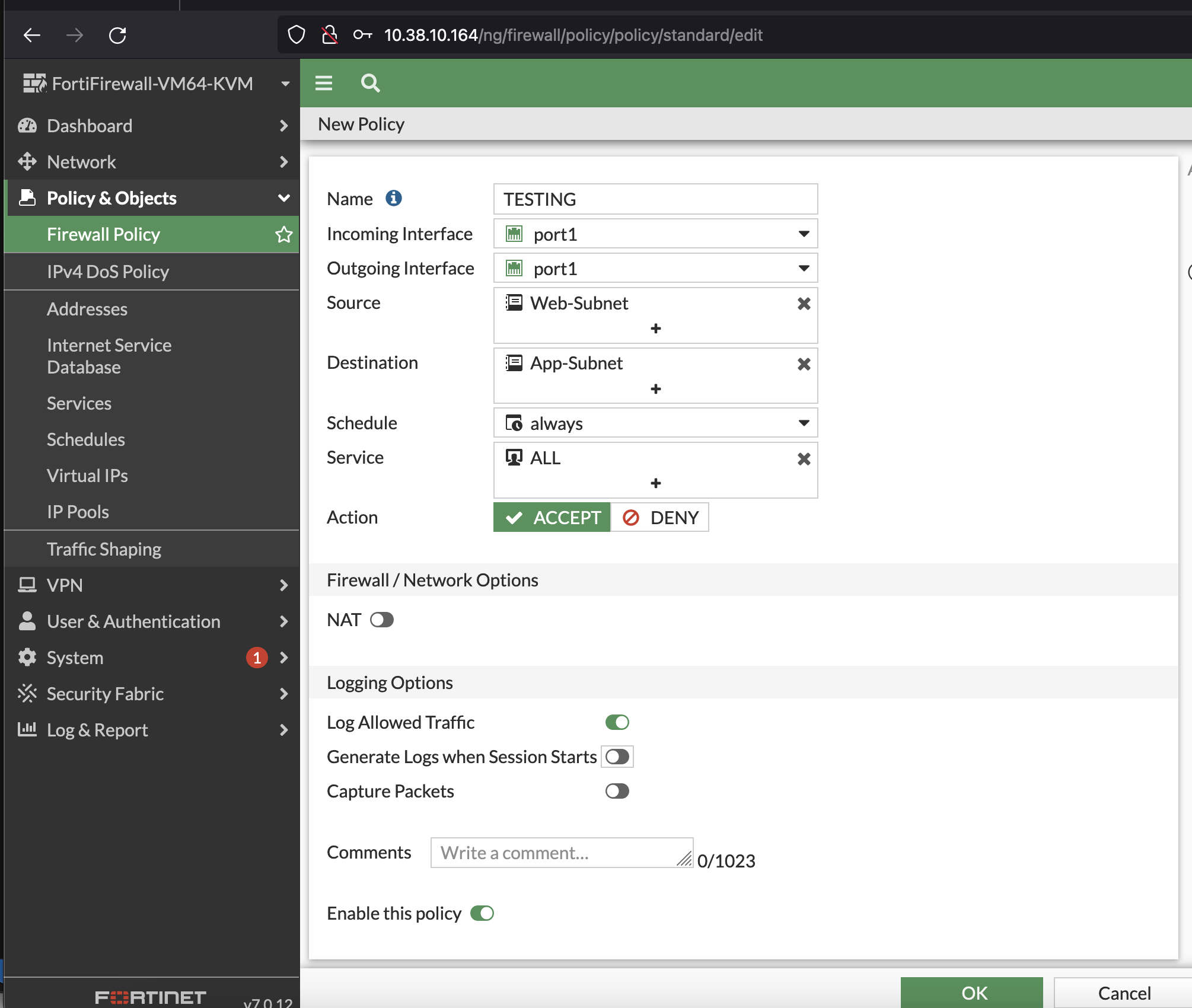
- Click "Create" to create the firewall rule